Showing posts with label Annabelle. Show all posts

Wednesday, 31 May 2017

Push to the end

I changed quite a bit in this last week. I looked at more website examples because i didn't like the way it was looking. I decided to make a big looped animation on the front page ( before it was at the bottom of the page and not animated and without mountains.) I changed the type. I did like the hand writeing looking type but it was harder to read and didn't look as professional. I also separated the type into columns. I added small details in the navigation bar and footer. Also made it interactive.


Tuesday, 23 May 2017

week 5, motion graphics

I recorded a voice over, changed the length and type of title, made container labels more readable, eased in and out and turned blur on, also made first image more interesting. 

week4 more possible layouts for website and illustrations

Extra illustration that i want to go on the website
Found some more sound effects to play around with. eg, water, shuffling, falling
Didi some more concepts for the website, not very happy with them tho.......

Illustrations for video

Finished all the illustrations ready to be animated!
I've decided to go with one pot and then bring in three pots right at the end.

week 3 more story boards


Thursday, 4 May 2017

week 2.2 Story board

Storyboard

We are doing two motion graphics:
1. How planting a garden can help the environment.
2. How to plant a garden

I'm doing the storyboard for the 2nd (how to plant a garden) we have decided to but sound effects or music behind the motion graphics instead of a voice over.

I came up with two options and chose the 2nd to refine further.

Next step is to start some illustrations.


week 2.1 website concepts


Website concepts for Thursdays crit.

After the crit i think we are on the right track, our ideas fit together. We want to make our website bright, easy, bold to make it appealing for kids. Lots of small animations/Gifs to ceap them entertained and simple, cute illustrations. Easy to read type (no complicated words). Loved Islay's little example illustrations, they show the style we want everything to be in. 


Sunday, 30 April 2017

Possible website layout? (very basic)

page 1= introduction to website with simple gif?
page 2 = why to grow a garden. Motion graphics video and facts.
page 3 = how to grow a garden. motion graphics video and facts.
page 4 = share your garden pictures.


More resurch on websites and motion graphics:

Some more websites i like :

http://www.thehybridforest.com/
https://www.brainpop.com/
http://www.oke.org.nz/growing-a-future/

Motion graphics: (two good places for inspiration)
https://www.reddit.com/r/motionographer/
http://www.fromupnorth.com/category/inspiration/motions-graphics/

Thursday, 27 April 2017

Week 1.2

After our lecture today and seeing each others mood boards/ website examples here are my favourites
Website, Catches the eye as soon as you look at it, simple, continuous animation on front page, cute icons..... Maybe aim our website towards kids? or families?


Illustrations- Like the colour pallets of both of these, in the second one especially as there are more colours. Like the simple style, maybe will make it easier to illustrate and then animate? Not sure....
All these are screen shots so i know where the images come from....

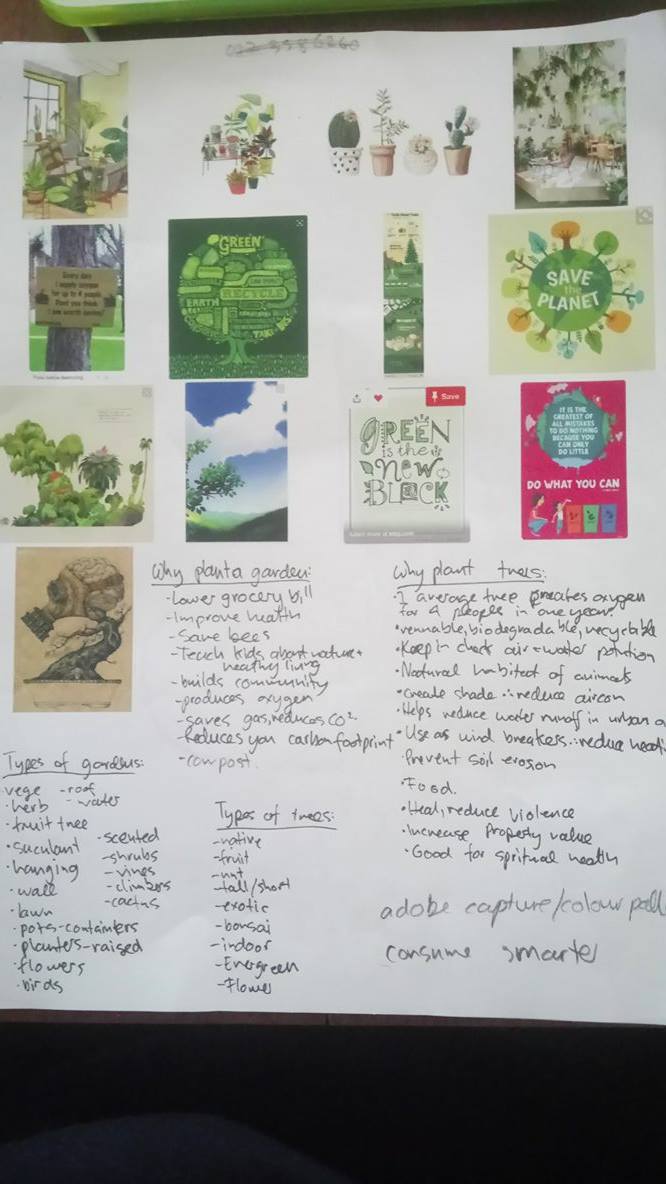
Brainstorm about how planting a garden can help you and the environment..... possible ideas for first motion graphic?

Websites i like

Websites i like


Week 1 Mood board + resurch


After mondays class we decided to choose 'trees' as out topic. At home i thought 'gardens' would be more interesting and give us more room to play around with illustration. I'm interested in illustrative style, maybe water colour? Maybe create a mograph about what the benefits of planting a garden are to yourself and the environment? Also how to plant a garden or what types of gardens. On the left i have written some facts that could be included.